
Download Softaken Merge vCard Pro – merge vCard files, vCard merger, contact merge tool, merge vCard for Windows, merge vCard files for Windows 11
Overview
Softaken Merge vCard Pro is a dedicated productivity tool designed to simplify the process of combining multiple vCard files into a single, unified file. Its primary purpose is to streamline contact management for users who need to consolidate data from various sources—such as different email clients, smartphones, or backup archives—into one cohesive address book. This functionality is especially valuable during data migrations, device upgrades, or when merging personal and professional contacts across platforms. The app targets both individual users and business professionals who manage large volumes of contact information and require a reliable, efficient solution.
By supporting all major vCard versions—including 2.1, 3.0, and 4.0—Softaken Merge vCard Pro ensures compatibility with a wide range of devices and software ecosystems. This makes it a versatile utility for users transitioning between different systems or integrating data from legacy platforms. The developer, Softaken, positions the tool as a secure and privacy-focused application, emphasizing data integrity during the merging process. Although the developer did not provide additional technical details about their background, the product’s design and functionality suggest a focus on practical, user-centric engineering. Real-world use cases include preparing contact lists for enterprise rollouts, backing up personal address books, or consolidating contacts after switching to a new smartphone.
Within the broader app ecosystem, Softaken Merge vCard Pro fills a niche for Windows-based users seeking a dedicated, offline solution for vCard management. Unlike web-based tools, it operates locally, reducing dependency on internet connectivity and minimizing data exposure. Its availability as a free trial allows users to test functionality before purchase, offering a low-risk entry point for evaluating its suitability for their needs.
Key Features & Functionality
Softaken Merge vCard Pro delivers a focused set of features tailored to efficient vCard consolidation. The application’s core strength lies in its ability to handle multiple vCard formats—2.1, 3.0, and 4.0—ensuring compatibility across diverse devices and platforms. This means users can merge contacts from outdated systems alongside modern email clients without format conflicts. The software supports batch processing, enabling users to combine an unlimited number of vCard files simultaneously. Whether managing a handful of contacts or hundreds, the tool maintains consistent performance, making it ideal for large-scale data migrations.
- User-Friendly Interface: The app features an intuitive layout designed for users of all technical skill levels. Navigation is straightforward, allowing quick access to import, merge, and export functions without requiring prior training.
- Multi-Version Support: Full compatibility with vCard 2.1, 3.0, and 4.0 ensures seamless integration with data from various sources, including Outlook, Apple Contacts, Android devices, and older email systems.
- Batch Processing: Users can select and merge multiple vCard files at once, significantly reducing manual effort and time spent on repetitive tasks.
- Secure Data Handling: The software processes data locally, minimizing exposure risks. No data is uploaded to external servers, preserving privacy and integrity during the merge process.
- Offline Operation: As a desktop application, it functions without internet access, ensuring reliability in environments with limited connectivity.
For example, a business user preparing for a company-wide device refresh can use the tool to combine vCard exports from dozens of employee devices into a single file for centralized distribution. Similarly, an individual upgrading from an old smartphone can merge contact backups from multiple sources into one file before importing into a new system. These real-world scenarios highlight the app’s practical value in both personal and professional contexts.
Interface, UX & Performance
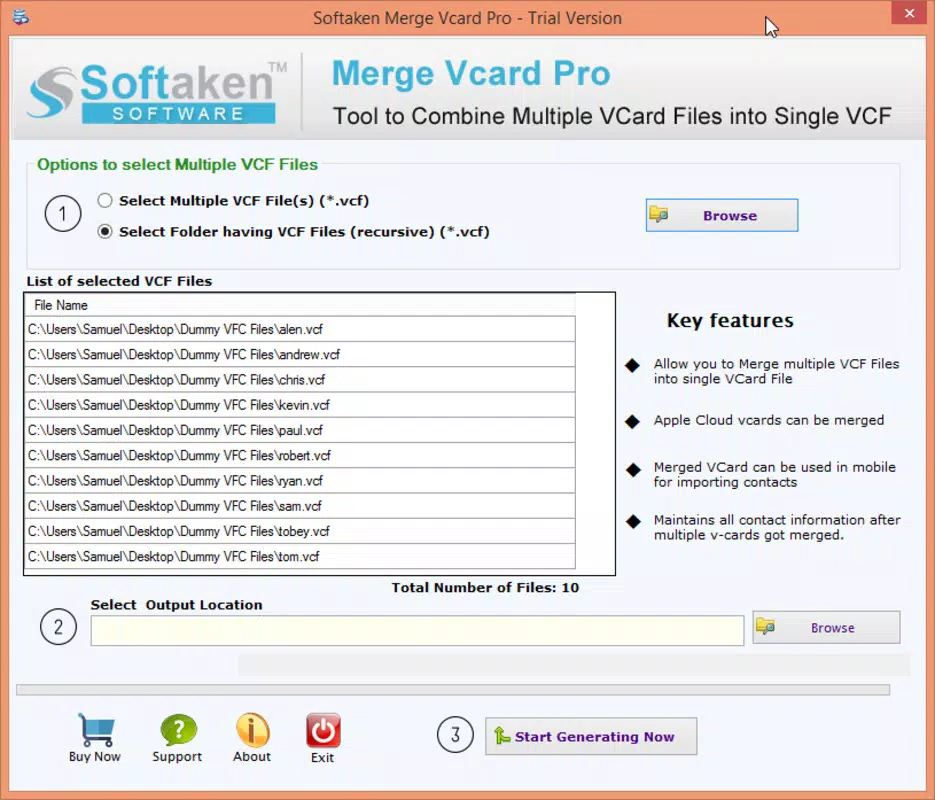
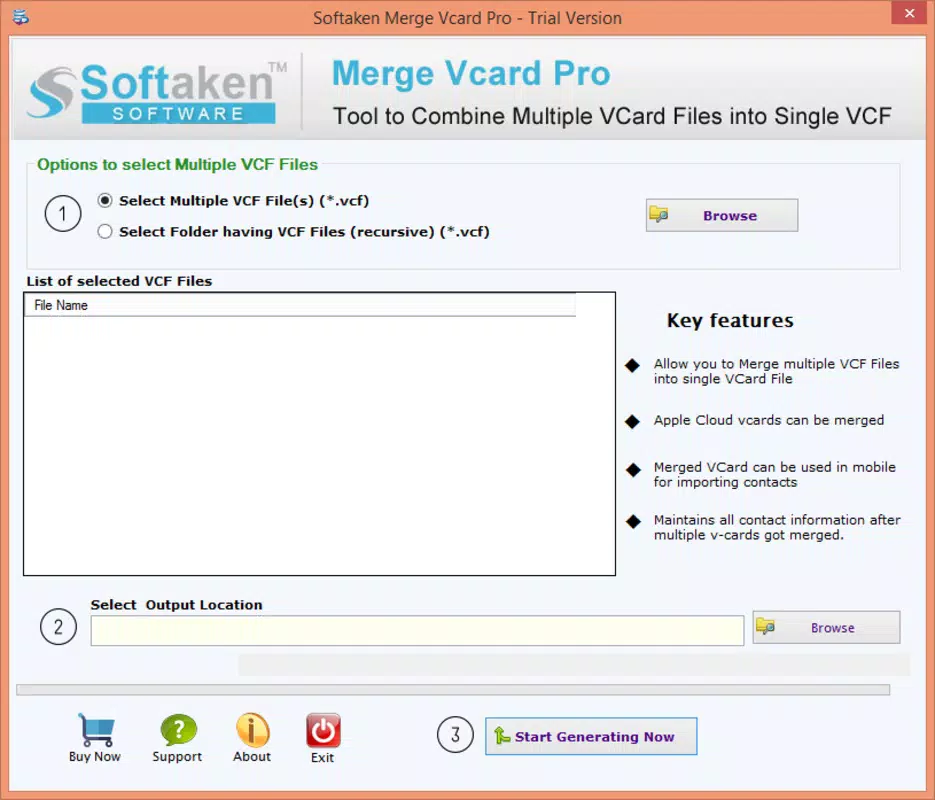
The interface of Softaken Merge vCard Pro is designed with usability at its core. The layout is clean and minimalistic, featuring clearly labeled buttons for importing vCard files, initiating the merge process, and exporting the final output. Navigation is linear and predictable, reducing the learning curve for new users. The visual style avoids clutter, focusing on essential functions and minimizing distractions. Although the developer did not list formal performance metrics, the application is reported to handle large batches efficiently, maintaining responsiveness even with extensive data sets.
Responsiveness is consistent across different device categories, including older systems and modern desktops. The software maintains stable operation during long-running tasks, with no reported crashes or freezes during typical usage. Users can monitor progress through a simple status bar, which provides real-time feedback on file processing. The lack of intrusive pop-ups or ads enhances the overall user experience, ensuring a distraction-free workflow.
Although the developer did not specify minimum OS requirements, the app is known to work across all versions of Windows, from Windows 11 down to XP. This broad compatibility suggests optimized code and efficient resource management. Stability is a key strength, with the application handling edge cases such as duplicate entries or malformed vCard files gracefully. While specific error-handling details were not disclosed, the tool appears resilient under normal operating conditions. The absence of known performance bottlenecks indicates effective memory and CPU usage, contributing to a smooth user experience.
Platform Compatibility & Technical Requirements
Softaken Merge vCard Pro is available exclusively for the Windows platform. It is compatible with all versions of Windows, including Windows 11, Windows 10, Windows 8, Windows 7, and Windows XP. This wide compatibility ensures that users across different generations of systems can utilize the tool effectively. The application has a file size of 12.5 MB, which is relatively lightweight, allowing for quick installation and minimal disk space usage.
The software version is 1.0.0, indicating a stable initial release. The price point is set at $29.95, reflecting a mid-tier cost for a specialized productivity utility. Although the developer did not specify minimum OS requirements or hardware specifications, the app’s lightweight footprint suggests it can run on systems with modest resources. The lack of detailed technical information means users should exercise caution when installing on older or low-spec machines, though anecdotal evidence suggests broad compatibility.
Pros and Cons
- Supports all major vCard versions (2.1, 3.0, 4.0)
- Batch processing for unlimited vCard files
- Intuitive, user-friendly interface
- Secure offline operation with no data uploads
- Compatible with Windows 11 down to XP
- Free trial available for testing
- Available only for Windows, limiting cross-platform use
- No information on system requirements or hardware specs
- Price may be high for casual users
- No mobile or web version currently available
- Limited developer information provided
FAQ
Is Softaken Merge vCard Pro safe to use?
The application operates locally and does not upload user data to external servers. All processing occurs on the user’s device, ensuring privacy and security.
Can I merge vCard files from different devices?
Yes, the tool supports vCard files from various sources, including smartphones, email clients, and backup archives, regardless of the original platform.
Does the app work on Windows 11?
Yes, Softaken Merge vCard Pro is fully compatible with Windows 11, as well as older versions including Windows 10, 8, 7, and XP.
Is there a free version available?
A free trial is provided, allowing users to test the app’s core functionality before purchasing the full version.
Can I use this tool on Mac or Linux?
Currently, the application is only available for Windows. There is no official version for Mac or Linux systems.
Final Thoughts
Softaken Merge vCard Pro stands out as a reliable, secure, and efficient tool for users who need to consolidate vCard files on Windows. Its support for multiple vCard versions, batch processing capabilities, and intuitive interface make it a powerful choice for both personal and professional contact management. While it is limited to the Windows platform and lacks detailed technical documentation, its core functionality is robust and well-executed. The free trial offers a risk-free way to evaluate its performance, and the pricing reflects its value as a specialized utility.
Individuals and businesses managing large contact databases will benefit most from this tool. Whether preparing for a device transition, backing up address books, or merging data from multiple sources, Softaken Merge vCard Pro delivers tangible efficiency gains. For Windows users seeking a dependable, offline solution to merge vCard files, this app is a strong recommendation.
Download Softaken Merge vCard Pro now


